


Free and Pro
Most of Durata is free and stays free: logging, every program with its progression, your history, your records and charts, Test Day and Meet Day, and importing your history from another app. There are no ads and no trial that runs out.
Pro is for people who want more from the app: their own plans that move the weights for them, the cards that tell you what your numbers mean, and a handful of tools like Setup Next and Multi-Gym. This guide lists both sides and how to tell them apart.
Last reviewed 2026-11-21 · matches app v1.2
What is free
Every program in Browse, all 84, run as written with its progression, and every ready-made Durata Session: the weight going up, stalls and deloads are all handled for you. You can also swap a lift for one of the same movement, move days, pause and skip on a program for free.
The whole logger: a Warmup or Working set, a fixed weight or a percentage, 6 layers (AMRAP, Dropset, Backoff, Rest Pause, Partials and Unilateral), cardio and HIIT, the rep-max and plate calculators, the rest timer and the fatigue reading. It works offline.
Four sessions of your own. Sessions you import, programs you start from Browse and Durata Sessions don't count towards the four. A session or plan someone shares with you does count, and arrives without its progression rules, so you set the weights yourself.
Importing your history from Hevy, Strong, Lyfta, MacroFactor, Liftosaur or Progression, by file, by Hevy API key, or by Lyfta API key in the phone app. Your history, synced between your devices, with backup and export at any time.
Your numbers: records and the PR Board, estimated 1RM charts, Near PRs, the Strength Index, sets by muscle, weekly volume, reviews for every week, month and year, and goals with a forecast date. Cardio, nutrition, body weight, measurements and progress photos, plus share cards.
What Pro adds
Progression on your own plans. Set a rule on each lift of a plan you built or imported, and Durata moves the weights for you. A rule that is already running keeps running if Pro ends.
Changing a program from Browse: adding or removing lifts, changing sets, reps and rules, and editing weeks, and swapping a lift for one of a different movement. Same-movement swaps, moving days, pausing and skipping stay free. Editing a Durata Session as it stands is Pro too, though Make It Yours turns one into a session of your own.
Unlimited sessions of your own, instead of four.
The verdict cards: Load & Recovery, Strength Standards (your level on each lift), Muscle Balance, Compare, Sleep & Performance, Fuel & Training, and the Insights and Rep Ranges cards on each exercise. The numbers under them stay free. Pro is the part that tells you what they mean.
Setup Next, which works out the plates for the weight you are about to lift and remembers your seat, pin and bench settings. Multi-Gym, so your setups, plates and exercises switch with the gym you are in.
Import a Session: photograph a whiteboard, pick a page of a PDF or paste a message, and it comes back as a workout to check. Pro includes 10 a month.
Durata in any web browser, signed in to the same account. And the time-lapse of your progress photos.
How to tell what is Pro
On a free account, Pro parts of the app stay in view. You can see what they are before you decide. They show in one of two ways.
A button or menu row that opens a Pro feature has a small PRO badge after its name, such as Compare These on the Strength tab. Tap it and the Pro screen opens.
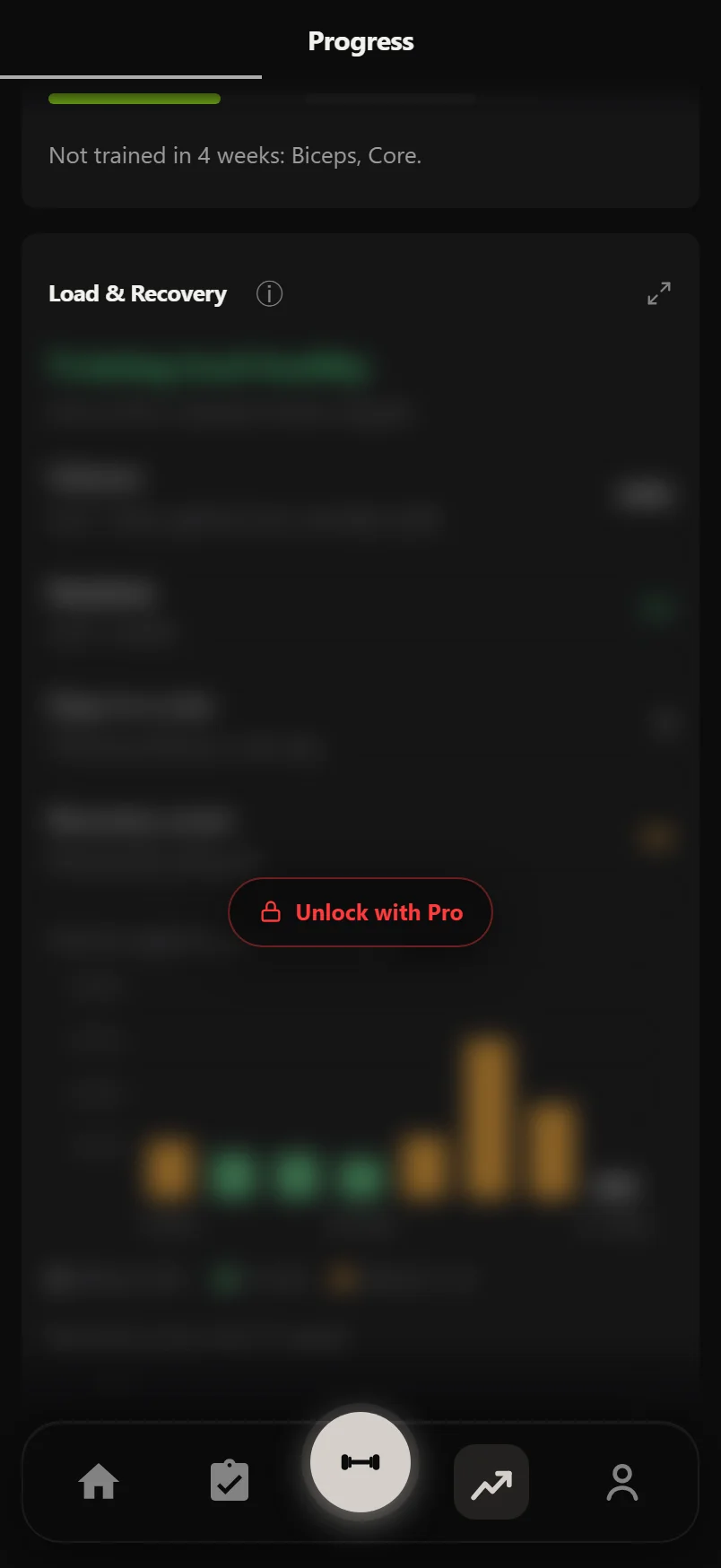
A card that gives a verdict keeps its title readable and blurs the rest, with one Unlock with Pro pill on it. Tap the pill to see Pro.
The free session limit shows on the New Session sheet and in Build Your Week as "2 of 4 free sessions used". At four, the sheet says so and offers See Pro.
What Pro costs
In the UK, Pro is £2.99 a month, £19.99 a year, or £49.99 once for life. The yearly plan works out at £1.67 a month, 44% less than paying monthly. The app shows the price in your own currency from your app store.
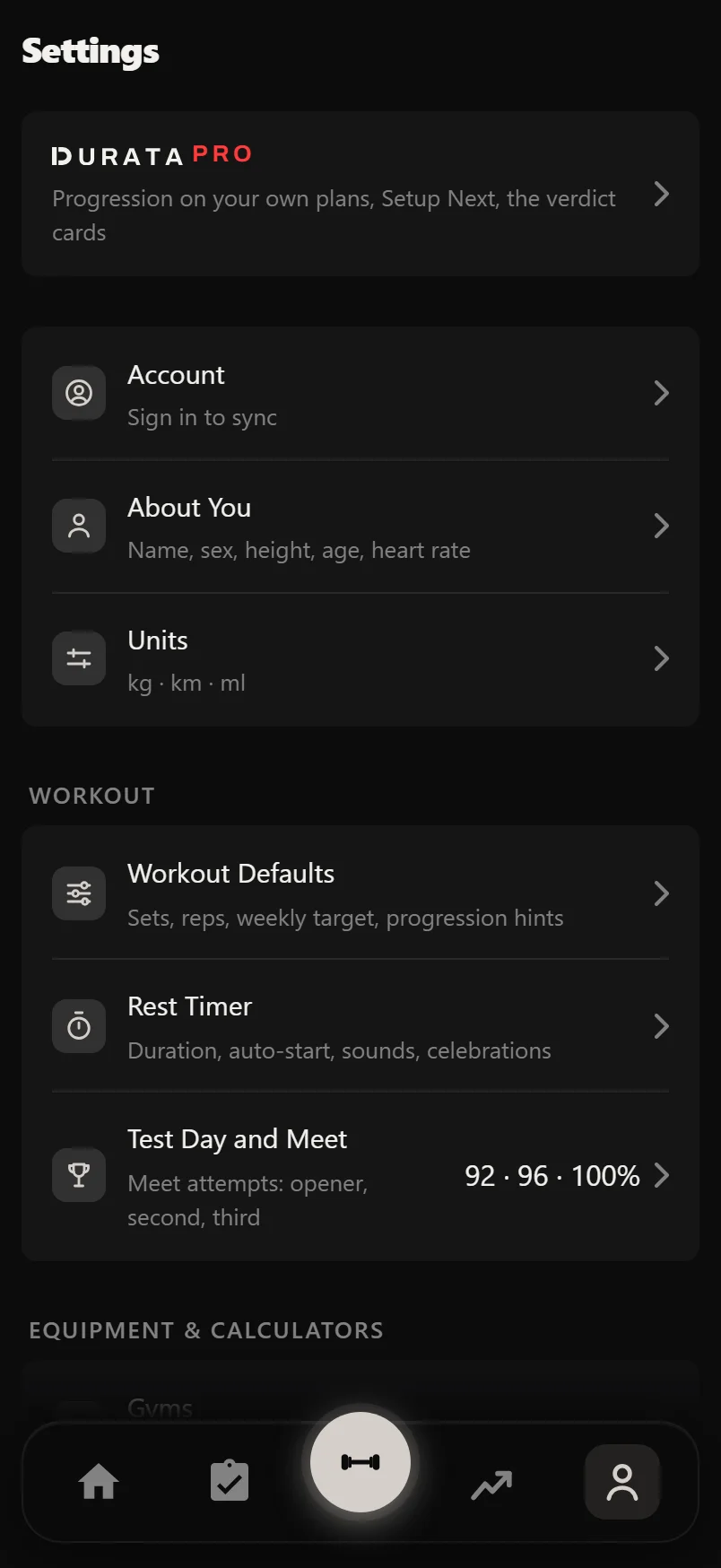
To buy it, tap the PRO row at the top of Settings, or any Pro badge or Unlock with Pro pill. Pick a plan and tap Upgrade to Pro. Monthly and yearly plans renew until you cancel them in your App Store or Google Play subscriptions.
Bought Pro already, on a new phone or after reinstalling? Tap Restore Purchase at the foot of the Pro screen, signed in with the same store account.
Once Pro is on, the PRO row leaves Settings and the badges and pills go.
Common questions
Is Durata free?
Yes. Logging, every program with its progression, your history and records, charts, goals, Test Day and Meet Day, and importing your history from another app are free. There are no ads and no trial that runs out. Pro adds extra tools on top.
How much is Durata Pro?
In the UK, £2.99 a month, £19.99 a year or £49.99 once for life. The app shows the price in your own currency.
Do I need Pro to run a program?
No. Every program in Browse runs free, with its progression. Pro is needed to change a program's lifts, sets or weeks, and to set progression rules on plans you build yourself.
How many sessions can I build for free?
Four of your own. Imported sessions, programs from Browse and Durata Sessions don't count, and deleting a session frees its place.
What happens to my data if Pro ends?
Nothing is lost. Your history, plans and sessions stay. Progression rules already running keep running. The Pro cards and tools lock again.
How do I get Pro back on a new phone?
Open the Pro screen from the PRO row in Settings and tap Restore Purchase, using the same App Store or Google Play account you bought it with.
Put it into practice
Durata is free to use — 84 proven programs, automatic progression, rest timers and PR tracking, all on your phone.